
Runtime Variables
Runtime variables are used to manage private information, so you never write sensitive data directly into tool code or expose it to the LLM.
What Are Runtime Variables
When a tool needs sensitive information (such as API keys, account passwords, etc.), prefer runtime variables. Never type sensitive information directly into a conversation with the AI.
You can also use runtime variables as a general configuration feature, making it easy to share settings across tools.
Usage Guide
1. Configure Variables
Open the app and go to Settings > Runtime Variables.
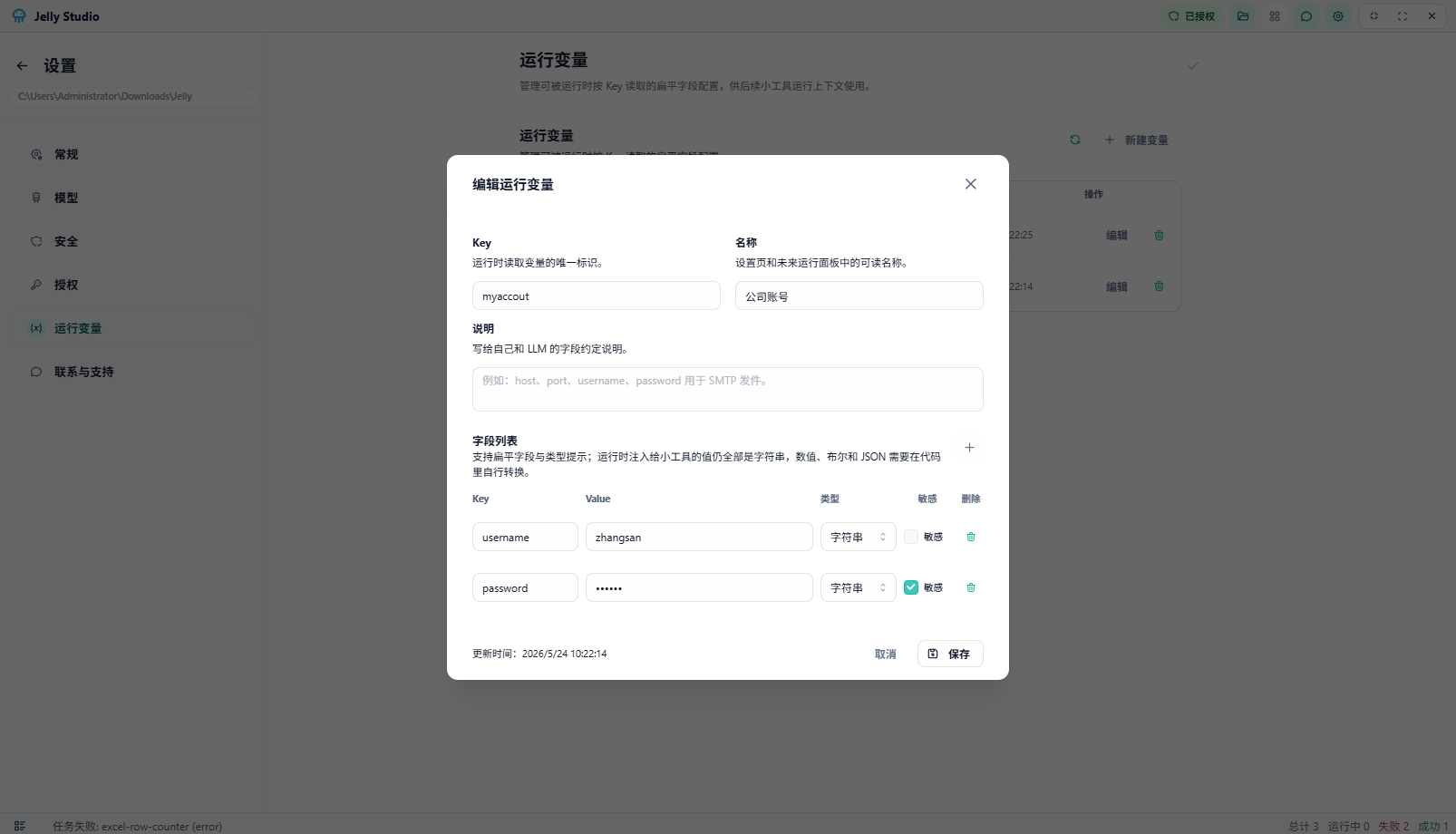 Runtime variables
On this page you can:
- Add new variables.
- Edit existing variables.
- Delete variables you no longer use.
2. Use Them in a Conversation
When talking with the LLM, simply tell the AI to use a certain variable. The tool automatically searches for and checks whether that variable exists.
Help me build an email-sending tool that supports a subject line, body editing, and attachment upload.

Note: get the email account, password, and related parameters from the `email` variable. Do not ask the user to enter them.
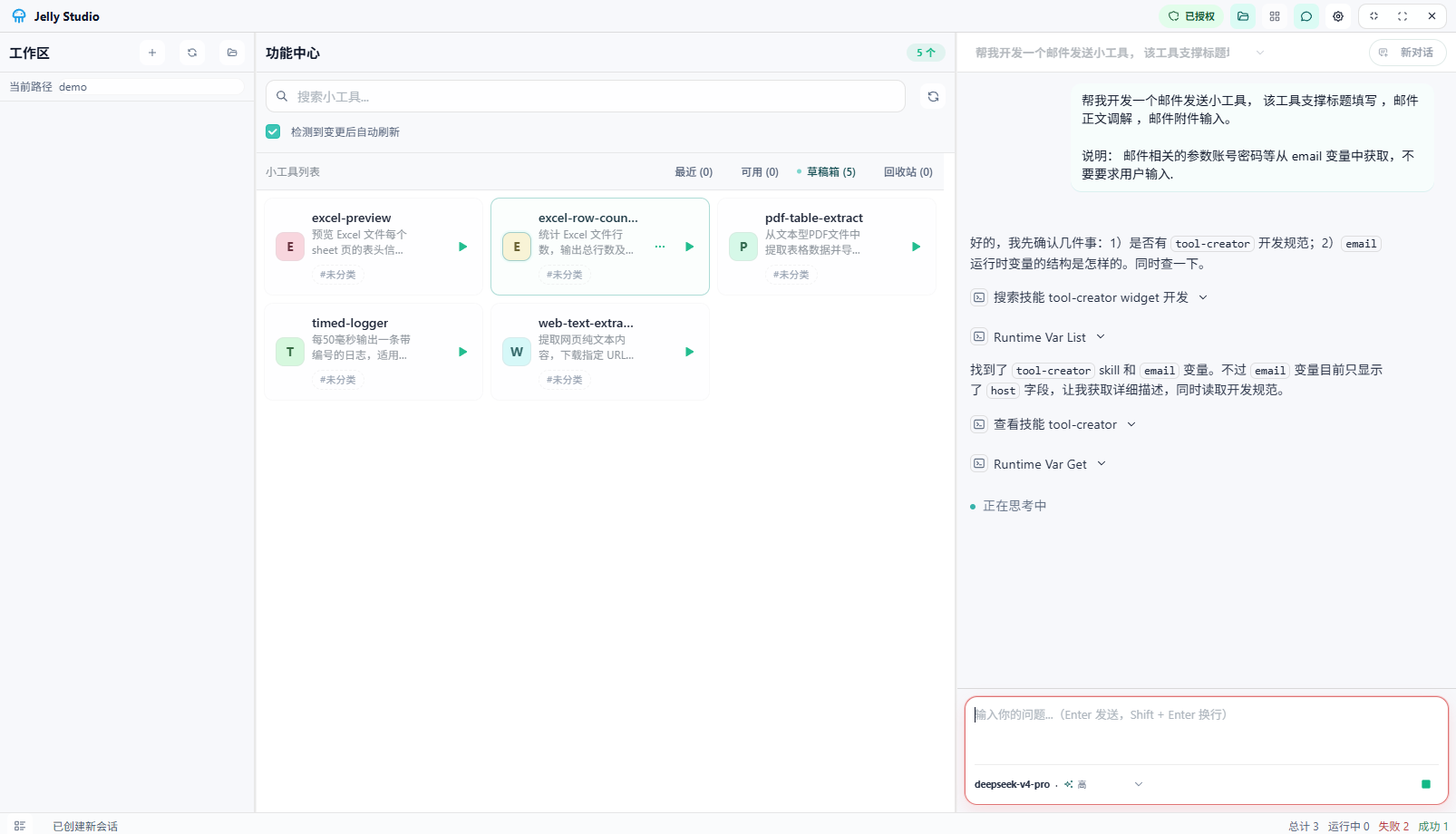 User variables in chat
3. Reference Variables
When you reference a variable in a conversation, the AI automatically recognizes it and reads the corresponding value—no need to type sensitive information manually.
Security note: runtime variables are stored locally. They are never uploaded to the cloud or sent to the LLM, which better protects your information.