
What is Jelly Studio
Jelly Studio is a desktop AI toolkit built for business workflows.
It helps you turn repetitive work—file processing, spreadsheet cleanup, information extraction, data conversion—into reusable tools, and compose them into controllable flows when needed.
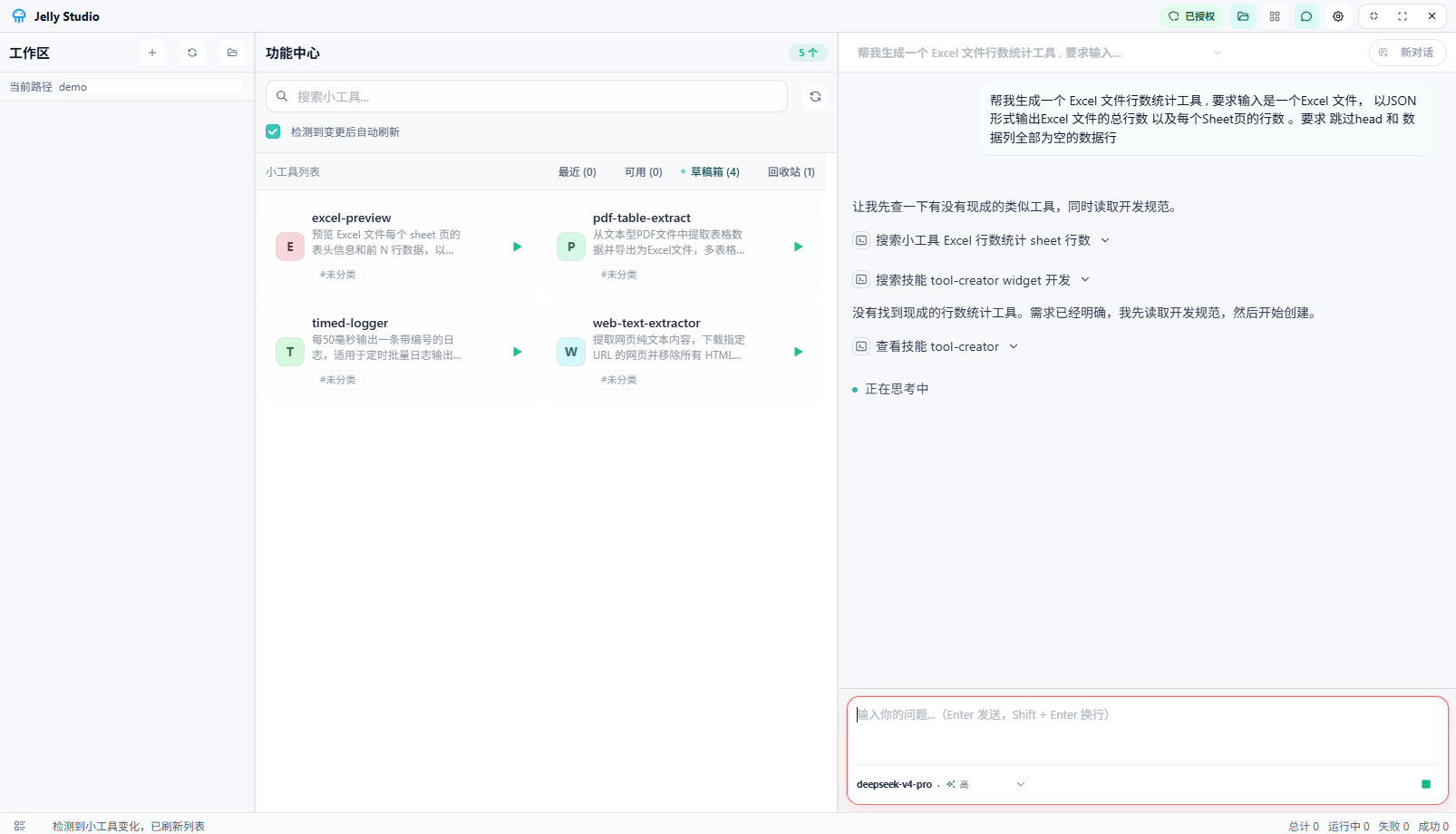 Home
Home
In one sentence: Jelly Studio makes repetitive work simpler.
What it can do
- Turn repetitive steps across spreadsheets, files, receipts, and exported data into tools
- Run tools locally under control, with explicit directory, network, and runtime variable permissions
- Let you start a task first, then review and verify the results
- Reuse existing tools and compose them into longer flows when needed
What it does not do
- It is not an AI IDE; it does not center on coding or engineering collaboration
- It is not a general-purpose automation platform; it does not try to cover every scenario
- It is not an open extension marketplace; it does not focus on installing large amounts of external capabilities
- It is not a fully autonomous agent; by default a human still initiates and reviews
Where it fits
- Spreadsheet cleaning, formatting, and batch statistics
- Information extraction from PDFs, receipts, and exported files
- Data conversion, reconciliation, aggregation, and cross-checking
- Batch generation of standardized emails, reports, or result files
- Everyday business processing that needs "visible process, checkable results, verifiable execution"
Where it does not fit well
- Open-ended creation, highly subjective judgment, or tasks whose results are hard to verify
- Fully automated flows that require long autonomous planning, multi-system orchestration, and almost no human review
- Deep coding workflows aimed at developers
- Scenarios where an extension ecosystem and plugin marketplace are the top priority
How it works
- Describe a clear, repetitive business action in natural language
- Let Jelly Studio generate or adjust the corresponding tool
- Configure the model, runtime variables, and execution permissions for the tool
- Run it manually and check the results
- Reuse stable steps repeatedly, and compose them into longer flows when needed
Why it suits business processing
- Controllable: directory, network, and subprocess permissions are configurable, reducing "black-box execution"
- Reviewable: you can see the run inputs, execution results, and error messages
- Reusable: a tool built once can run repeatedly, instead of being re-described each time
- Safer: sensitive information can be managed through runtime variables, without writing it directly into the conversation
Quick start
- Download and install Jelly Studio
- Configure a model
- Complete licensing
- Create and run your first tool
- Learn how to describe a tool
Download
Click the link below to open the download directory and choose the build that fits your system.
| Platform | Requirement | File Name |
|---|---|---|
| Windows | Windows 10/11 | Jelly Studio-x.y.z-windows.exe |
| macOS (Apple Silicon) | macOS 10.15+ | Jelly Studio-darwin-arm64-x.y.z.zip |
| macOS (Intel) | macOS 10.15+ | Jelly Studio-darwin-x64-x.y.z.zip |
Download link: Baidu Netdisk
Access code: ygcv