
Model Configuration
This guide walks you through configuring an AI model so Jelly Studio can work properly.
Model Recommendation
We recommend starting with DeepSeek models—they offer strong value for everyday use.
Tip: For your first try, top up a small amount (e.g. a few dollars) to experiment and avoid unnecessary spending.
Supported Models
Jelly Studio supports the following types of models:
- DeepSeek: the full model lineup (primary target for adaptation and testing).
- Alibaba Cloud Tongyi Qianwen: the Tongyi Qianwen model series.
- Other models: any model compatible with the OpenAI API can be used.
Configuration Steps
Open the app, go to Settings > Model, and configure the parameters as shown below.
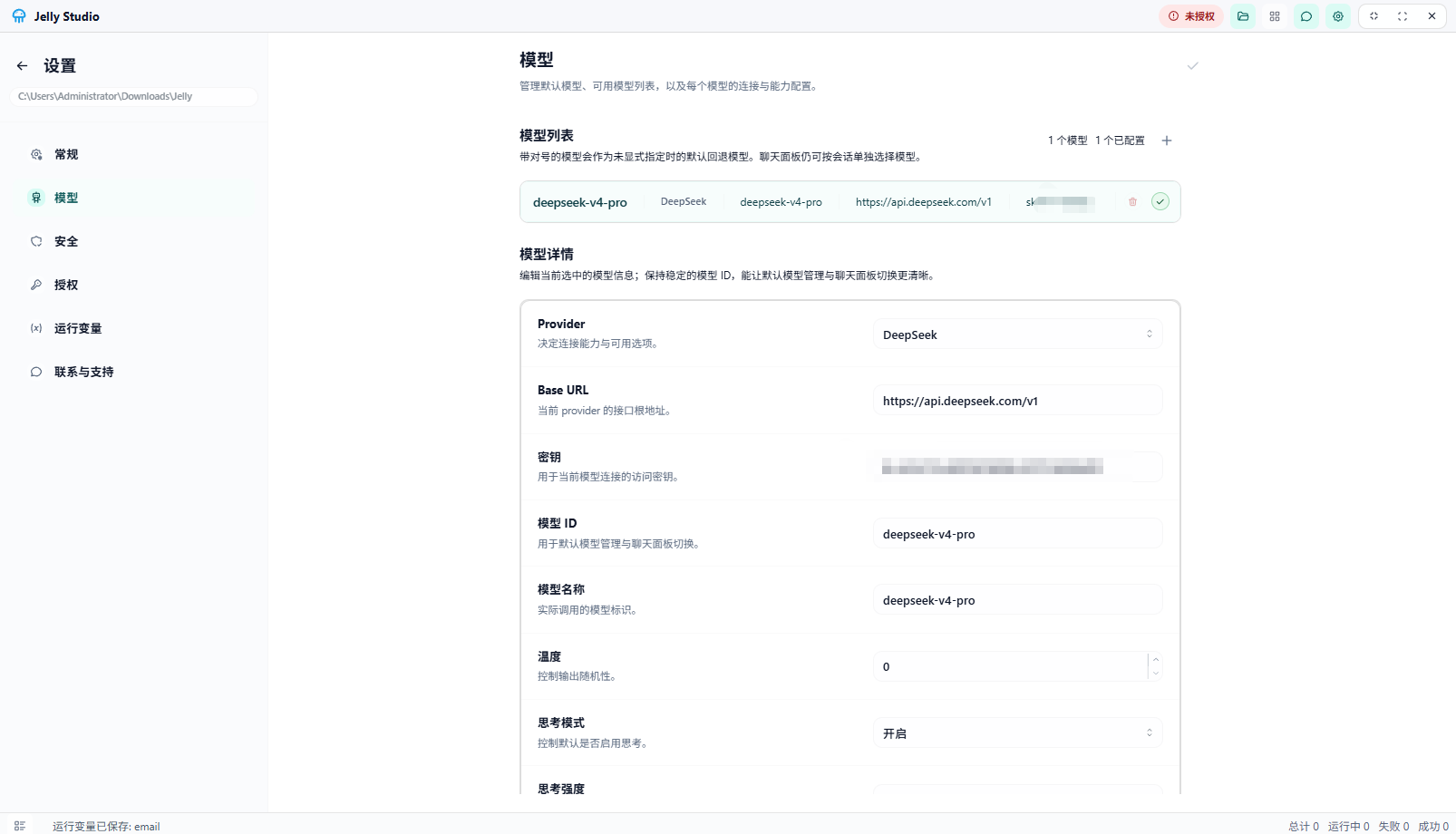 Model configuration
Getting an API Key
For how to obtain an API Key, refer to the official documentation of the LLM platform you use, or contact its support team for help.